-
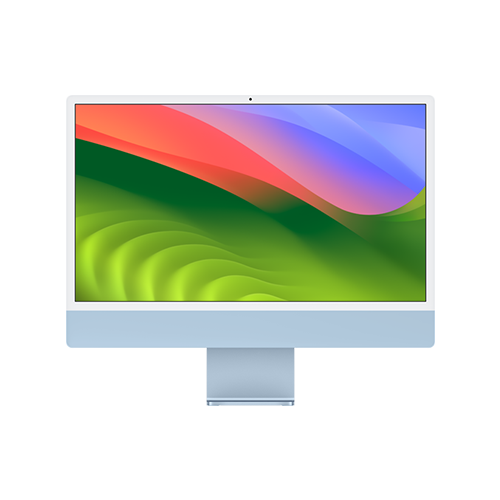
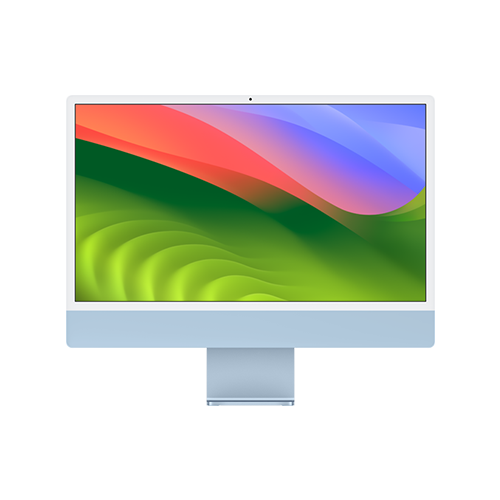
24-inch iMac (M3, 2023)
Apple’s latest all-in-one
The 2023 iMac from Apple sports a new M3 chip that has some massive overhauls to GPU power, including Dynamic Caching and ray-tracing. With a new chip, a gorgeous display, and all the features you could want out of a computer, the 2023 iMac is an impressive all-around package.
Pros- M3 chip
- All-in-one convenience
- Gorgeous display
Cons- Lackluster base model
- Limited customization
-
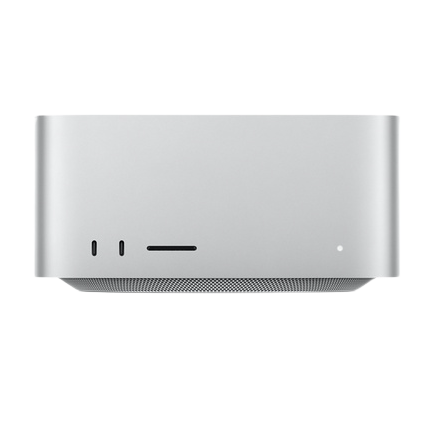
Apple Mac Studio (2023)
One of the most powerful Macs
Apple’s pro-focused Mac Studio offers up tons of power via either an M2 Max or M2 Ultra chip that can come with up to a 24-core CPU and a 60-core GPU. If you’re looking for serious performance from a Mac, the Mac Studio is a great choice.
Pros- M2 Max/M2 Ultra chips
- Impressive hardware
- Support for lots of storage and memory


If you’re looking for a new computer, Apple’s new M3 chips are here and so is the new M3 iMac that’s set to be an exceptional value, perhaps even one of the best all-in-one computers you can find. However, Apple’s powerful, premium Mac Studio is another solid option worth considering, too. But should you save some cash and go for the all-in-one iMac, or should you pay up for some serious performance with the Mac Studio?
Below you’ll find out if the M3 iMac or the Mac Studio will be the better computer for you.
Price, availability, and specs
Apple’s new M3 iMac is open for orders right now, and in-store availability starts November 7th. The base model iMac retails for $1299, and you’re getting an 8-core GPU, 8GB of memory, and 256GB of storage. You can customize your iMac further to accommodate more GPU cores, more memory, more storage, and more connectivity options, but you will have to pay a premium.
You can order a Mac Studio from your favorite retailer of choice, and pricing starts out at $1999. You can choose between a 12-core CPU, 30-core GPU M2 Max model or a 24-core CPU, 60-core GPU M2 Ultra model (which starts at $3999). For extra cash, you have up to 192GB of memory and up to 8TB of storage, and you can pay for extra cores on your M2 Max or M2 Ultra, too.
-
24-inch iMac (M3, 2023) Apple Mac Studio (2023) Brand Apple Apple CPU 8-core Apple M2 Max (12-core CPU with 8 performance cores and 4 efficiency cores), Apple M2 Ultra (24-core CPU with 16 performance cores and 8 efficiency cores) Graphics 8-core, 10-core 30-38-core GPU (M2 Max); 60-76-core GPU (M2 Ultra) Memory 8GB, 16GB, 24GB 32GB, 64GB, 128GB, 192GB Storage 256GB, 512GB, 1TB, 2TB 512GB, 1TB, 2TB, 4TB, 8TB PCIe SSD Ports 2x Thunderbolt 4, 3.5mm headphone jack, Gigabit Ethernet, 2x USB 3 6x USB-C (Thunderbolt 4), 1x HDMI, 1x cloverleaf power, 1x 10Gb ethernet, 2x USB 3.1 Gen 2, 1x 3.5mm headphone port, 1x SD card reader Dimension 21.5 x 18.1 x 14.7 inches (54.7 x 46.1 x 14.7cm) 7.7×7.7×3.7 inches Weight 9.75 pounds (4.43kg) 5.9 pounds (M2 Max), 7.9 pounds (M2 Ultra) Price $1,299 Starting at $2000
Design and display

The iMac and the Mac Studio are very different devices with very different design languages. The iMac is, essentially, a sleek, minimalist display with a computer built onto its back, while the Mac Studio is a rather unimposing, thick silver square. Both are well-designed, make no mistake, but it’s hard to compare the two: one is an all-in-one, while the other is simply a tower.
You can pair a Mac Studio with a Studio Display (purchased separately), if you’d like, but on its own, the Mac Studio doesn’t come with a display. The iMac, on the other hand, comes with a 24-inch 4.5K Retina display with a 4480 x 2520 resolution coming in at a 218ppi density. It also features a peak brightness of 500 nits and True Tone tech. In our review of the 2021 iMac, which has the same display as the 2023 iMac, we found it to be a beautiful panel great for work or play.
Performance

The 2023 iMac comes with Apple’s all-new M3 chip, which the company estimates is a 15% uplift in performance overall over the M2 family, while the M3 also features a number of GPU-specific upgrades, like hardware-accelerated ray-tracing and Dynamic Caching. Accordingly, you can expect more improvements in the GPU over the CPU when moving from M2 to M3.
However, the Mac Studio doesn’t just feature an M2, it features an M2 Max or an M2 Ultra: significantly more premium chips than the base M3. For example, the M3 in the iMac comes with an 8-core CPU and a choice between an 8-core or a 10-core GPU, while the M2 Max can have up to a 12-core CPU, a 38-core GPU, and a 16-core Neural Engine and the M2 Ultra can have up to a 24-core CPU, a 76-core GPU, and a 32-core Neural Engine.
Core counts, of course, aren’t everything, but suffice it to say that the Max and Ultra lines of Apple chips are designed to be much more performant than their base models of chips. This isn’t even to mention you can get up to a mammoth 192GB of memory on the Mac Studio, while the iMac caps out at 24GB of memory. Put simply, if you need maximum power, you need a Mac Studio.
If you don’t need maximum power, though, the iMac is in of itself a capable machine that also conveniently builds in everything you need out of a computer, not to mention you can spend a lot less on an iMac than you can on a Mac Studio.
Features

In terms of features on Mac Studio, you get Apple’s Neural Engine for all your machine-learning workflows, more IO, and overall better performance, but considering the Studio is just a computer and not an all-in-one, you won’t get nearly as many features as you will with the iMac.
The iMac features a gorgeous 4.5K display, a built-in 1080p webcam, a six-speaker system, a three-microphone array, and an included Magic Mouse and Magic keyboard. The Mac Studio doesn’t have any of these out of the box, but you can purchase a display, audio setup, microphone, and peripherals separately (and from Apple) and connect them all to your Studio.
The key differentiator here is price. Without all the extras of the iMac, the base model Mac Studio is already significantly more expensive, and the most expensive Mac Studio is many times more expensive than the iMac still without things like a display. However, if you need a computer powerful enough to cost thousands of dollars on its own, the extra cost for a display or some peripherals probably won’t matter much to you.
If you’re looking for convenience, the answer is the iMac, but if you’re looking for power, the answer is the Mac Studio. Most importantly, though, if you want to save money, the choice is easy.
Which is right for you?
At the end of the day, these are two computers aimed at very different users. The iMac is a great all-in-one PC for somebody more on the side of casual computing who might edit the occasional video or play the occasional game, while the Mac Studio is for those who need serious power.
Accordingly, for most people, our recommendation is the iMac. If you’re one of the few who needs the power of the Studio, you already know that an iMac doesn’t have what you need, but if you’re just looking for a new Mac, you’re likely better served by an iMac.

24-inch iMac (M3, 2023)
Winner
The 2023 iMac from Apple sports a new M3 chip that has some massive overhauls to GPU power, including Dynamic Caching and ray-tracing. With a new chip, a gorgeous display, and all the features you could want out of a computer, the 2023 iMac is an impressive all-around package.
The 2023 iMac has more power than the last generation, thanks to Apple’s M3 chip, but it maintains all the other excellent features of the 2021 iMac, like a gorgeous display, a capable audio system, a 1080p webcam, and an included suite of Magic peripherals. If you want a one-stop-shop computer, the iMac is a great choice.

Apple Mac Studio (2023)
Runner-up
Apple’s pro-focused Mac Studio offers up tons of power via either an M2 Max or M2 Ultra chip that can come with up to a 24-core CPU and a 60-core GPU. If you’re looking for serious performance from a Mac, the Mac Studio is a great choice.