Key Takeaways
- Microsoft Family Safety app does not work properly when it comes to sharing location, leaving users frustrated and unable to see each other’s whereabouts.
- The messaging and limitations of the app are unclear and unintuitive, making it difficult to troubleshoot issues and navigate settings.
- Microsoft’s products often have strange errors and behaviors, which can be alienating and frustrating for users, highlighting the need for improvement.
It’s fair to say that I’m a fan of Microsoft. I’ve only ever used Windows laptops and PCs, and even a Windows Phone during the Windows Phone 8.1 and Windows 10 Mobile days. And, in most cases, I’d rather use Microsoft services and products than alternatives from other companies. I used to use Microsoft Edge and even streamed on Mixer when that existed.
So, when my partner and I started planning to move in together and they suggested using a family location app, Microsoft Family Safety seemed like the perfect fit. I already have a Microsoft 365 Family subscription, so we could even get the premium features the app offers. But things didn’t go according to plan.
It doesn’t work, and it’s not clear why
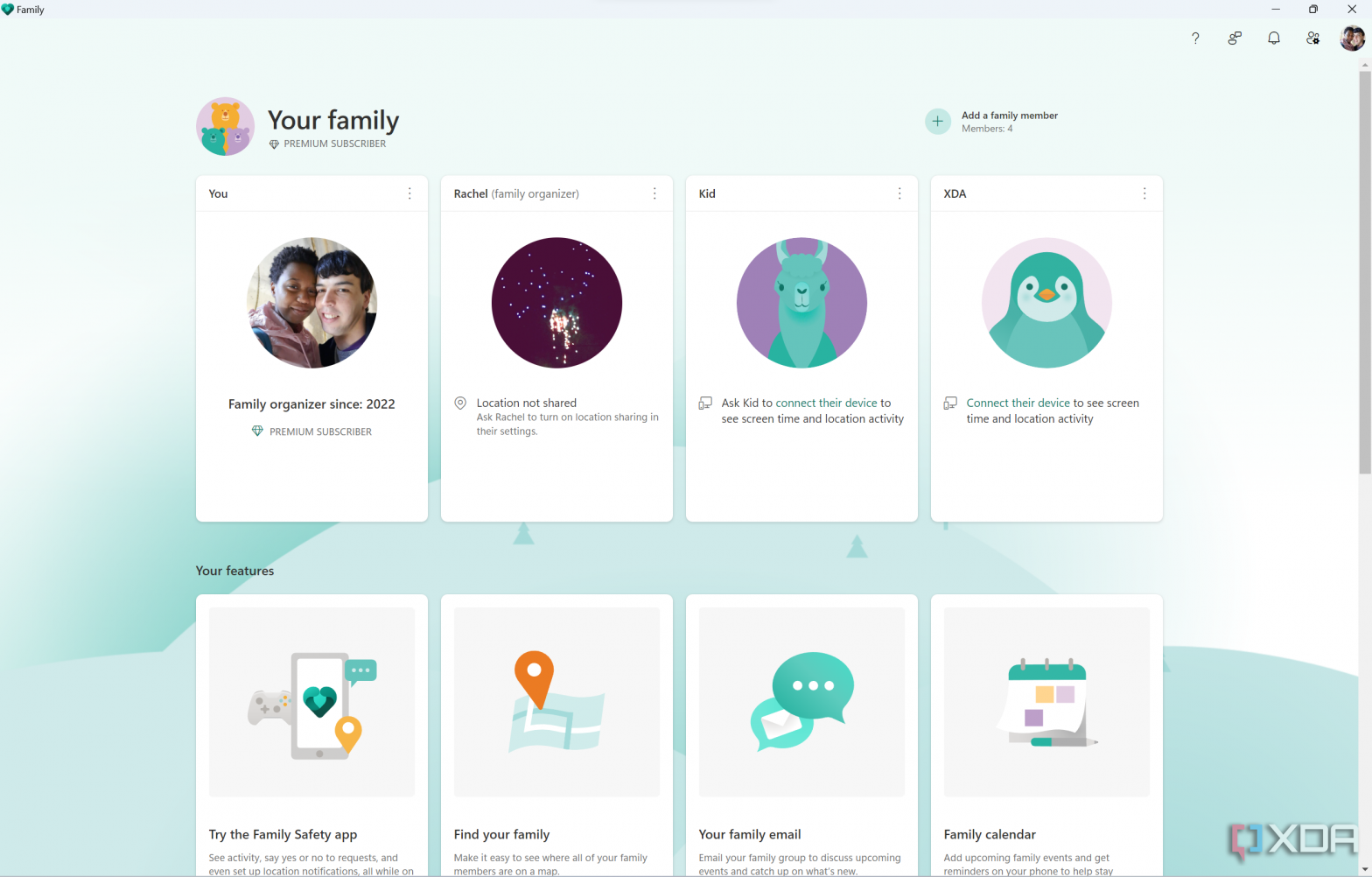
Normally, I’d like to provide more context for why a certain app is annoying, but Microsoft Family Safety simply does not work. After adding my partner to my family group, they show up on the list of users on the main page, but even though we’re both sharing our location (and have it enabled on our phones), Family Safety simply says Location unavailable.
This is a different message than what shows up if location isn’t being shared, too. I have a couple of dud accounts in my family group, and those say Location not shared. So Family Safety knows the location is being shared, but it refuses to let us see it.
As to why it’s not working, that’s a great question. The app does nothing to tell you why the location is unavailable. If you go through the website, you’ll see a message telling you to ask the user to connect their phone to share their location, even though they already do.
Maybe, for whatever reason, the service needs some time before it actually works. But if you want the app to give you peace of mind, having to wait before it starts working makes it useless right out of the gate. Another option is that maybe the app doesn’t work if family members are too far away, such as across different continents, as is my case. But again, what’s the point of a family location app that doesn’t work when the other person is far away?
Regardless, I simply moved away to another location sharing app. It’s baffling that an app could have such basic functionality not working.
Unclear messaging and weird limitations
Something I also noticed when trying to find out what might be causing this issue is that Microsoft Family Safety isn’t very intuitive. For example, while you can see all members of a family group on the main page of the Android app, if you open the settings page, you won’t see other family organizers at all. It’s likely because you can’t change any settings for other organizers, but why make it look like they’re not part of the family at all? Wouldn’t it be more intuitive to have them grayed out with a message saying you can’t see settings or activity for family organizers?
Additionally, as mentioned above, while the mobile app shows a different message for users who aren’t sharing their location and for those whose location is unavailable, the website and Windows 11 app will always tell you to ask that user to connect their phone and share their location. There’s no way to diagnose why it might not be working, and this unclear messaging makes it frustrating to troubleshoot a problem.
On top of this, while troubleshooting, I thought maybe an organizer’s location wouldn’t be shared with other organizers (which would also be stupid, but this is Microsoft, after all). So, I thought I’d change the role of my partner in the family group to see what would happen, but there’s no way to do that. If you want to change someone’s role, you have to remove and re-add them to your family group, which requires them to also accept the invitation again. You can’t change your own role, either, if you want to stop being an organizer, even if there’s another one in the group.
The more I use Microsoft products, the more I’ve been noticing that the company seems to almost try to alienate users of its services. There are a lot of weird errors and behaviors in many of the company’s products, and it’s become increasingly frustrating. I hope these posts will bring the company’s attention to these problems and make things better.