-
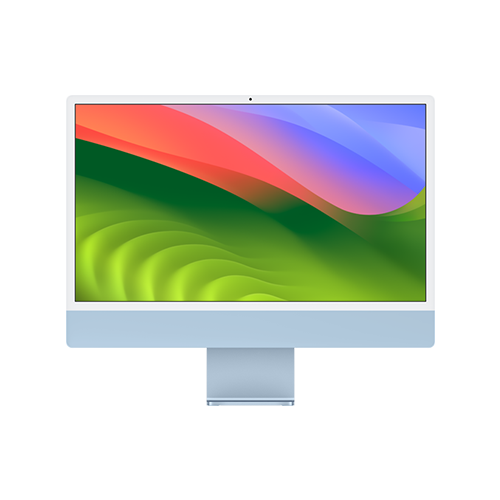
24-inch iMac (M3, 2023)
Apple’s latest all-in-one
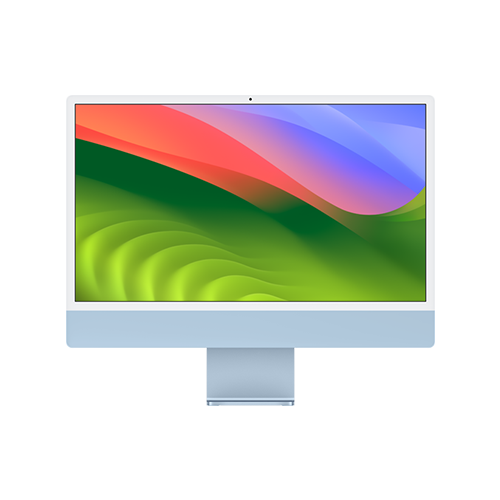
Apple’s 2023 iMac features a major upgrade to the M3 chip that has some big improvements to GPU performance, like hardware-accelerated ray tracing and Dynamic Caching. Plus, you’ll get all the excellent features of the 2021 iMac, like a gorgeous display, capable speakers, a 1080p webcam, and more.
Pros- Newer M3 chip
- Gorgeous display
- All-in-one convenience
Cons- Expensive upgrades
- Unimpressive base model
-
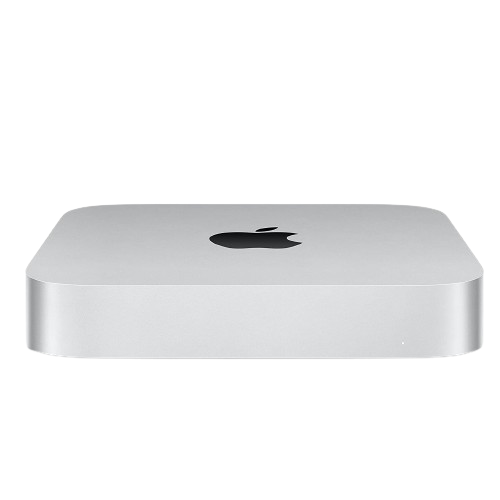
Apple Mac Mini (2023)
Compact M2 Mac
$499 $599 Save $100
This 2023 computer from Apple sports a powerful M2 chip on top of an approachable, easy-to-fit-anywhere size. What’s more is that this Mac starts off at $599 (or less on sale), making it an affordable way to get an M2 computer.
Pros- Capable M2 chip
- Affordable
- Compact
Cons- No display
- Limited customization


Apple’s all-new M3 chips have finally been announced, and the refreshed M3 iMac looks to be an excellent value. However, the Mac Mini also got an update in 2023, and as the most affordable Mac computer around, many are wondering if the Mini is worth considering over the iMac. So, should you go for the all-in-one or a compact mini-PC?
24-inch iMac (M3, 2023) vs Mac Mini (M2, 2023): Price, availability, and specs
Apple’s 2023 iMac can be ordered right now and hits stores Nov. 7. Pricing kicks off at $1,299 for the base model iMac that comes with 256GB of storage, 8GB of unified memory, and an 8-core GPU. You can spend up to $2,700 for more storage, more memory, more GPU cores, and more connectivity options, depending on your personal configuration.
The 2023 Mac Mini is available now at your favorite retailer of choice. Pricing begins at $599 for the base model that comes with 8GB of unified memory and a 256GB SSD. If you’d like, you can spend more for up to 24GB of memory, up to 2TB of storage, and 10 Gigabit Ethernet. Unlike the iMac, though, you’re not getting a variety of colorways to choose from.
It’s worth noting that while the iMac is significantly more expensive than the Mac Mini, the iMac has a built-in display whereas the Mac Mini is just the computer.
-
24-inch iMac (M3, 2023) Mac mini with M2 Brand Apple Apple CPU 8-core 8-Core M2 Graphics 8-core, 10-core 10-core M2 Memory 8GB, 16GB, 24GB 8GB, 16GB, 24GB Storage 256GB, 512GB, 1TB, 2TB 512GB, 1TB, 2TB Ports 2x Thunderbolt 4, 3.5mm headphone jack, Gigabit Ethernet, 2x USB 3 Ethernet, HDMI, 3.5mm headphone jack, 2x USB-A, 2x Thunderbolt 4 Dimension 21.5 x 18.1 x 14.7 inches (54.7 x 46.1 x 14.7cm) 7.75 x 7.75 x 1.41 inch Weight 9.75 pounds (4.43kg) 1.18kg (2.6 pounds)
Design and display

The design of these two machines is very different. With the Mac Mini, you’re getting a compact silver box, while the iMac is a 24-inch display with a computer built onto its back. Both products look sleek, premium, and minimalist, and while a Mac Mini with an attached display might have a similar footprint to the iMac (albeit with more cabling), fundamentally we’ve got two very different design languages for two very different pieces of kit at play here.
Your choice of display with the Mac Mini is up to you, but the Mini doesn’t come with a display. On the other hand, the iMac features a 24-inch 4.5K Retina display with a 4480×2520 resolution at 218ppi. It also hits 500 nits of peak brightness and sports True Tone tech. In our review of the 2021 iMac with the same display, we found it to be a gorgeous panel great for just about any application.
While you can attach a display to your Mac Mini that is superior to the iMac, you will likely have to spend a pretty penny to do so, and if a big draw of the Mini is affordability, you may well end up with a less capable display if you’re looking to save cash over the iMac.
Performance

While core counts and memory capacity match up between the Mac Mini and the iMac (depending on your selected configuration), there is a key difference here: the iMac runs Apple’s M3 chip, and the Mac Mini runs the last-generation M2 chip.
Overall, Apple estimates the M3 line of chips is around 15% faster than the M2 line, but that’s not the full story. With the M3 has come a particular focus on GPU power, and the M3 supports hardware-accelerated ray tracing and a new technology called Dynamic Caching that allows for greater GPU utilization via a more efficient allocation of memory. Apple says you can expect a 20% uplift with the M3 over the M2 when it comes to GPU performance.
In the end, the M3 line is an iterative upgrade over the M2 line; however, there are more gains to be had in terms of GPU power than CPU power. Although, neither the iMac nor the Mac Mini are exactly aimed at hardcore gamers or professional video editors where you’d want tons of GPU muscle, so the increased performance offered up by the M3 may not be relevant to you.
Features

As you’ve seen above, the Mac Mini retails for significantly less than the iMac, but you’re getting a ton of features out of that extra cost.
The iMac features not only a display but a 1080p webcam, a six-speaker system with spatial audio support, a three-microphone array, and an included Magic Mouse and Magic Keyboard setup. With the Mac Mini, on the other hand, you’re not getting any of that. Of course, you can purchase a display, a speaker system, a mic, and peripherals like a mouse and keyboard, but that will bring the prices of these two machines much more in line.
What’s more is that we enjoyed the display, the audio system, and the peripherals of the 2021 iMac (which are unchanged on the 2023 iMac), so you’ll not only need to purchase other products, but you’ll need quality products to compete with everything offered by the iMac in terms of features. Although, if you already have a monitor you like, headphones you like, and peripherals you like, you will save a good deal of cash on the Mini.
The iMac certainly comes with more features out of the box, but this largely comes down to these being two different machines with different aims. The iMac is an all-in-one computer designed to have everything you’ll want right there, while the Mac Mini is a computer you can use with your hardware. The performance differential between these products isn’t huge, so the choice comes down to what you’re looking for out of your next big purchase.
24-inch iMac (M3, 2023) vs Mac Mini (M2, 2023): Which is right for you?
The fact of the matter is that the M3 iMac has improved performance over the M2 Mac Mini. However, it’s also true that most folks looking to buy an affordable Mac likely aren’t looking for best-in-class performance, and it’s likely the case that most considering a Mac Mini don’t already have every third-party piece of hardware they’ll need already waiting for them at home.
Apple’s 2023 M3 iMac sports the new M3 chip that improves on earlier Apple silicon, especially with GPU power. Plus, you’re also getting a gorgeous display and everything you’d want out of a computer from a speaker system to a webcam to peripherals and everything else. It may not be the most powerful Mac around, but starting at just $1,299, it’ll be hard to find a better package.

24-inch iMac (M3, 2023)
Winner
Apple’s 2023 iMac features a major upgrade to the M3 chip that has some big improvements to GPU performance, like hardware-accelerated ray tracing and Dynamic Caching. Plus, you’ll get all the excellent features of the 2021 iMac, like a gorgeous display, capable speakers, a 1080p webcam, and more.
If you’re looking for more control over your computing experience and don’t really need the performance bump of the M3, the Mac Mini is an excellent, affordable choice. But considering everything on offer with the iMac, our top choice for most consumers is the iMac.

Apple Mac Mini (2023)
Runner-up
$499 $599 Save $100
This 2023 computer from Apple sports a powerful M2 chip on top of an approachable, easy-to-fit-anywhere size. What’s more is that this Mac starts off at $599 (or less on sale), making it an affordable way to get an M2 computer.